Ticket Merge
Merge duplicate tickets directly from the ticket sidebar
About this app
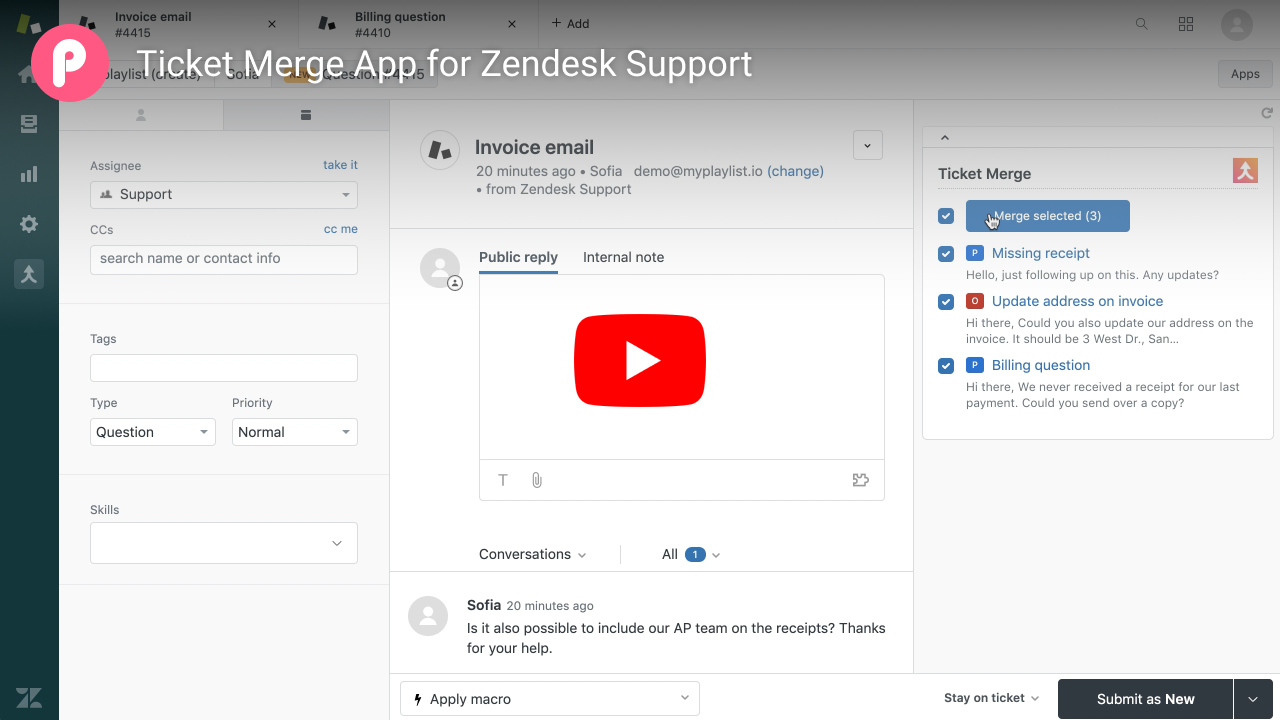
Merge tickets directly from the ticket sidebar without switching screens. Select duplicates, click Merge. That's it.
Features
Automatically flag potential duplicates from the same requester
Merge multiple tickets with one click from the ticket sidebar
Carry over comments with their original timestamps
Customize merge comments with placeholders
Roll up tags and priority
Restrict to tickets within the agent's groups
Show only tickets with a matching brand
Enforce required fields before merging
Try it for free
Sign up today for a 14-day free trial. Use code TRIALWOCC at signup. No credit card needed. Cancel anytime by uninstalling.
Need automatic merging?
See Auto Merge if you need to merge tickets automatically without agent involvement.
Data handling & privacy
Ticket Merge runs entirely in your browser inside Zendesk. No data is sent to or stored on our servers. See our Privacy Policy for more details.
Free for sandbox accounts.
App 詳情
如何安裝
To start your 14-day free trial, install the app directly from the Marketplace. Use coupon code TRIALWOCC at checkout to skip the credit card requirement. Without this code, your credit card will be charged automatically when your trial ends.
Only need it for specific agents?
You can limit Ticket Merge to select agents by enabling group restrictions.
Setup
Once installed, open setup (merge icon on the left navigation bar) to configure the app. Watch the demo for a quick walkthrough.
留下評論
與其他 Zendesk 社群分享您的體驗