Asana Integration By IntegrateCloud FREE
Zendesk-Asana Integration Lite IntegrateCloud. Quickly integrate Zendesk Asana
About this app
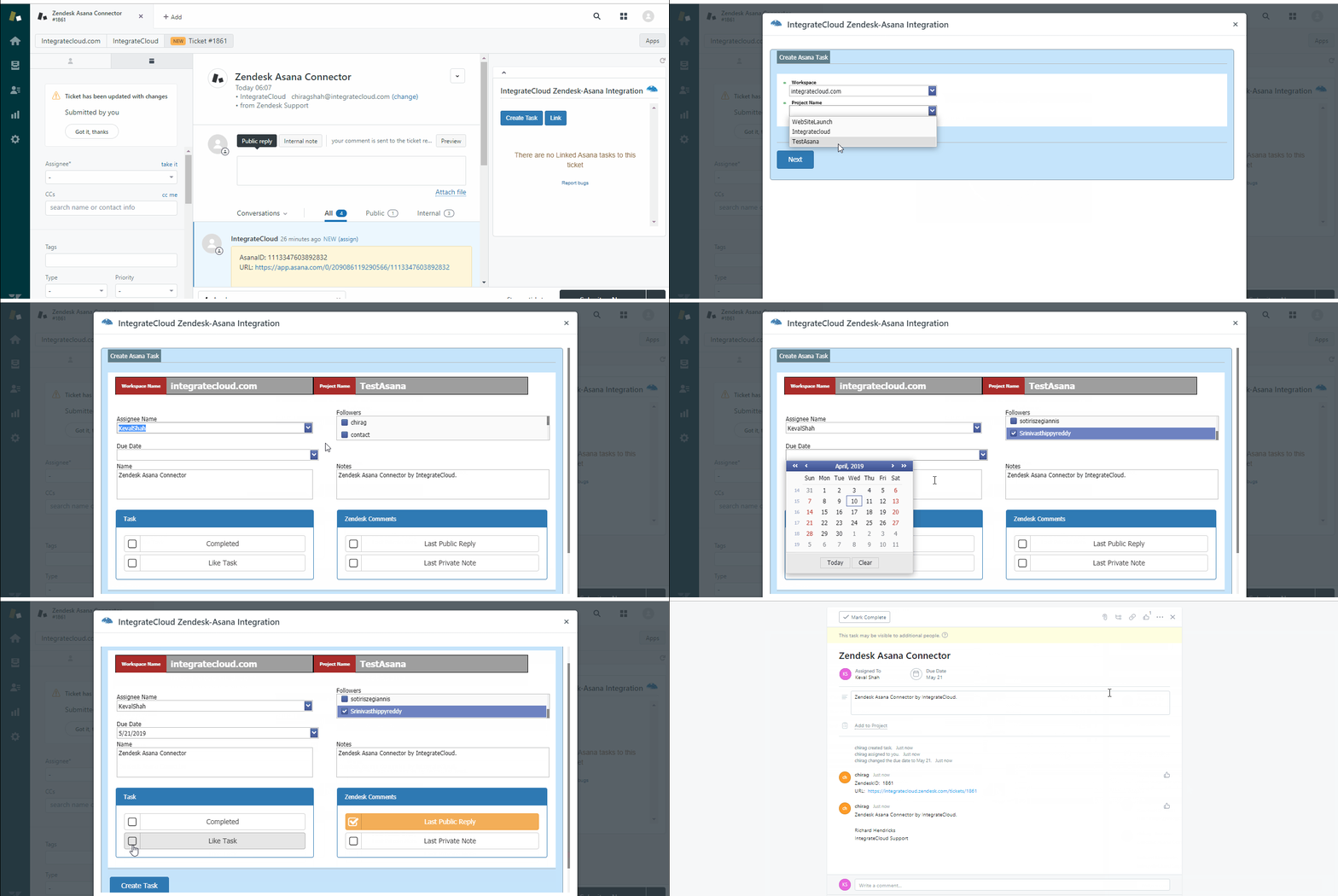
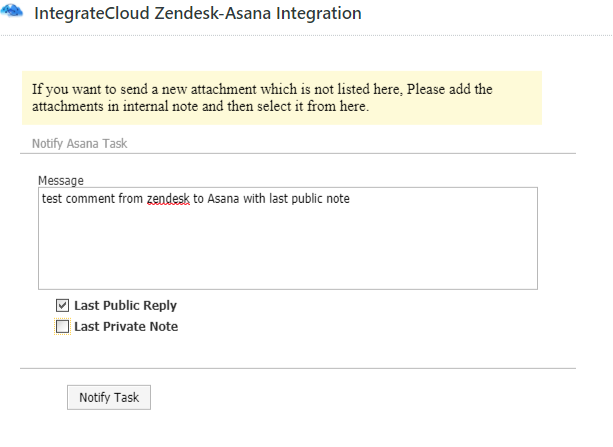
Asana Integration By IntegrateCloud Free App allows the users to create Asana tasks right inside the Zendesk form. It also allows you to link existing Zendesk tickets to an existing Asana task. In addition, it allows Agents to notify Asana team by sending comments inside Zendesk Support.
You can check the working demo of the App here
Features
The App has 4 tabs,
Create task
Link task
Notify.
Create task:
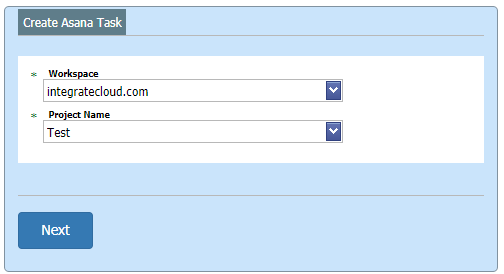
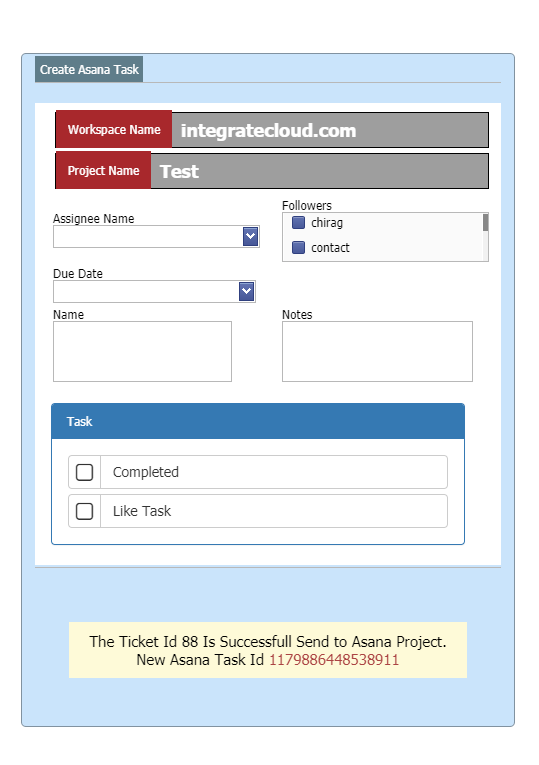
When clicked on the Create task tab it loads the Asana project, Asana task type and based on the selection it will load all the Asana fields like reporter, assignee custom fields The User can make the selection and click on Create task which would create task in Asana and then display the corresponding Asana Id in the App.
Link task:
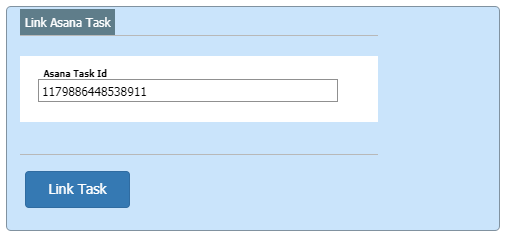
This tab allows you to link an existing Zendesk Ticket. It can be linked to one or multiple Asana tasks.
Notify:
This tab allows the user to send notifications to the Asana team which would show up as comments in Asana.
Note: The Zendesk Asana integration app is available for full 30 day free trial For more information, please visit our website at https://integratecloud.com
for any help related to setup, please visit to our support website https://support.integratecloud.com/zendesk-asana-connector.
App 詳情
如何安裝
- Log into your Zendesk account and navigate to 'Admin'.
- Locate the 'Marketplace' under 'Apps' , and look for 'IntegrateCloud Zendesk Asana Integration App' then click 'Install'.
Navigate to any existing ticket.
Once the ticket is displayed click on the top corner Apps and then the App will be displayed on the right sidebar of the screen.
Once the app is installed, click on Begin Configuration button.
A screen will be displayed where you need to enter your Zendesk Credentials using API Token. For help please click on the following link: [https://support.zendesk.com/hc/en-us/articles/226022787-Generating-a-new-API-token-]
Once you entered the credentials click on the submit button.
Once Zendesk credentials are authenticated you will be presented with Asana page where you will enter the Asana credentials and sub domain.
- Click on submit button (Once credentials are verified) then a message is displayed as 'Setup is successful'.
Click on the close button and now you can start creating Asana tasks.
留下評論
與其他 Zendesk 社群分享您的體驗