IrisAgent
Human-like AI Agents for AI Answers, Tagging, and Workflows
About this app
IrisAgent is a leader in customer support automation with AI-powered answers, tagging, and workflows that boosts agent productivity and automates tickets at scale. Self-learning and self-configuring AI Agents for chat, email, and voice to scale with your needs.
Our AI Agents improve resolution times by 10x, deflect over 50% of chats, tickets, and calls, and reduce escalations by 60% with highly accurate AI insights without hallucinations.
AI Agents & Copilots: Instant, Intelligent Answers with context
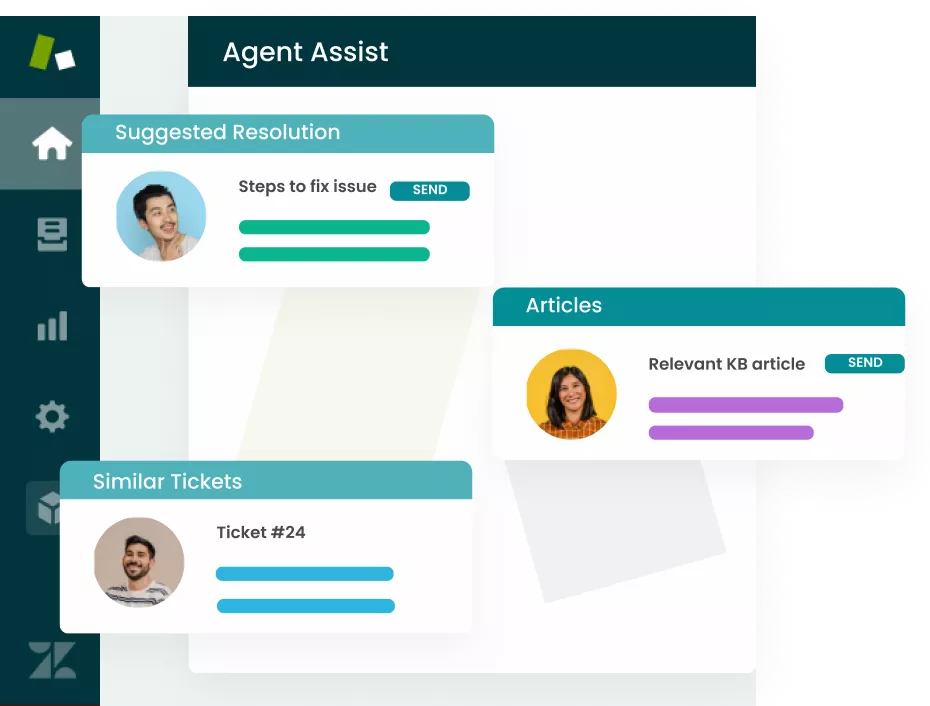
Save agents’ time and effort by automating responses to common, repetitive tickets. IrisGPT, a GPT-powered chatbot and AI answering engine, can scan your data repository to resolve customer issues without human interaction.
Automatically analyze previous tickets and knowledge base articles using our AI-powered resolution recommendation engine to identify and suggest appropriate responses.
Automate responses to common “how to” tickets using our no-code tools.
Automated workflows based on AI-powered tagging.
Automatic tagging, sentiment analysis, and trend detection
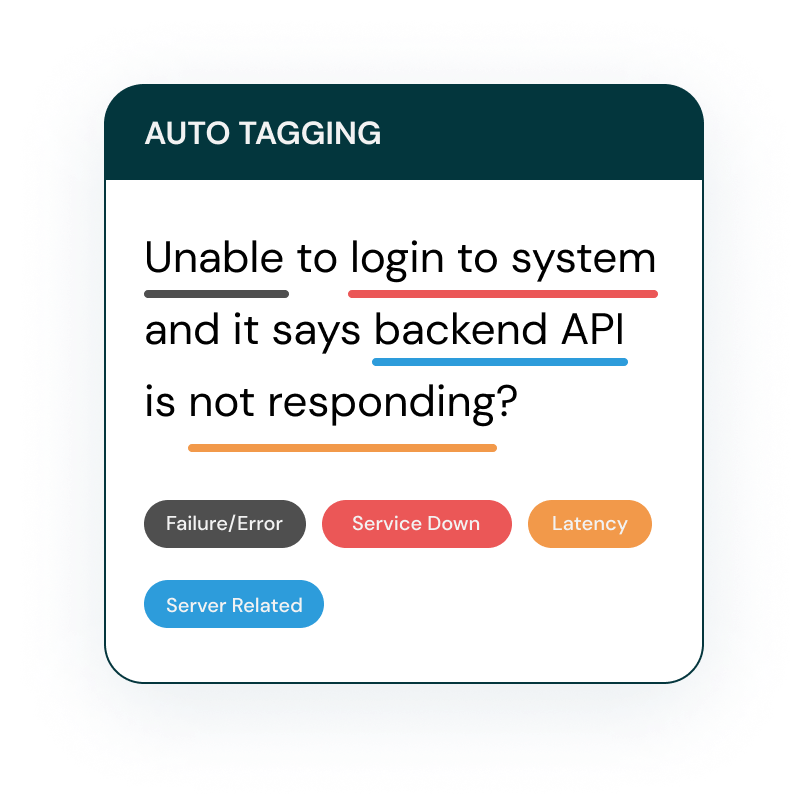
AI to instantly surface key issues, themes, trends, and sentiment in customer conversations. No more manual categorization—just actionable insights, delivered automatically. Our AI also analyzes Zendesk tickets for language cues that reveal sentiment. IrisAgent automatically:
Routes tickets to the right agent based on their domain and expertise.
Prioritizes tickets based on urgency and business impact.
Detects sentiment behind Zendesk tickets to identify at-risk customers.
Uses built-in analytics to identify those product features with the most negative reactions so support and product teams can better understand the source of the most 'how-to' tickets.
Helps agents tailor conversations to the customer's product adoption journey and deeply empathize with their experiences – with the customer’s churn risk score, priority level and renewal dates at your agents’ fingertips.
Automated ticket and chat routing
IrisAgent intelligently routes tickets and chats to the right experts. You can configure routing based on agent skills, availability, expertise, capacity, workflow, and ticket complexity. Reduce response times and ensure optimal issue resolution. Set up complex and feature-rich routing rules and strategies based on attributes such as:
Agent availability, time-off, work hours, time zone, skills or expertise, and capacity or workload limits
Ticket tags, fields, complexity, product area, intent, etc.
Customer account health scores, tier, revenue, etc.
Support routing strategies include:
Round Robin: Routing among available agents based on a basic approach of choosing all agent equally in.
Weighted by Workload and Limits: Routing among available agents based on workload of the agents while enforcing individual agent's workload limits.
AI-generated Knowledge Base from Solved Cases
Turn solved cases into a powerful knowledge base – automatically. Close the knowledge gap.
Automated knowledge article generation from solved cases
KB gap analysis to identify outdated or missing content
Resolve tickets with real-time product and user context
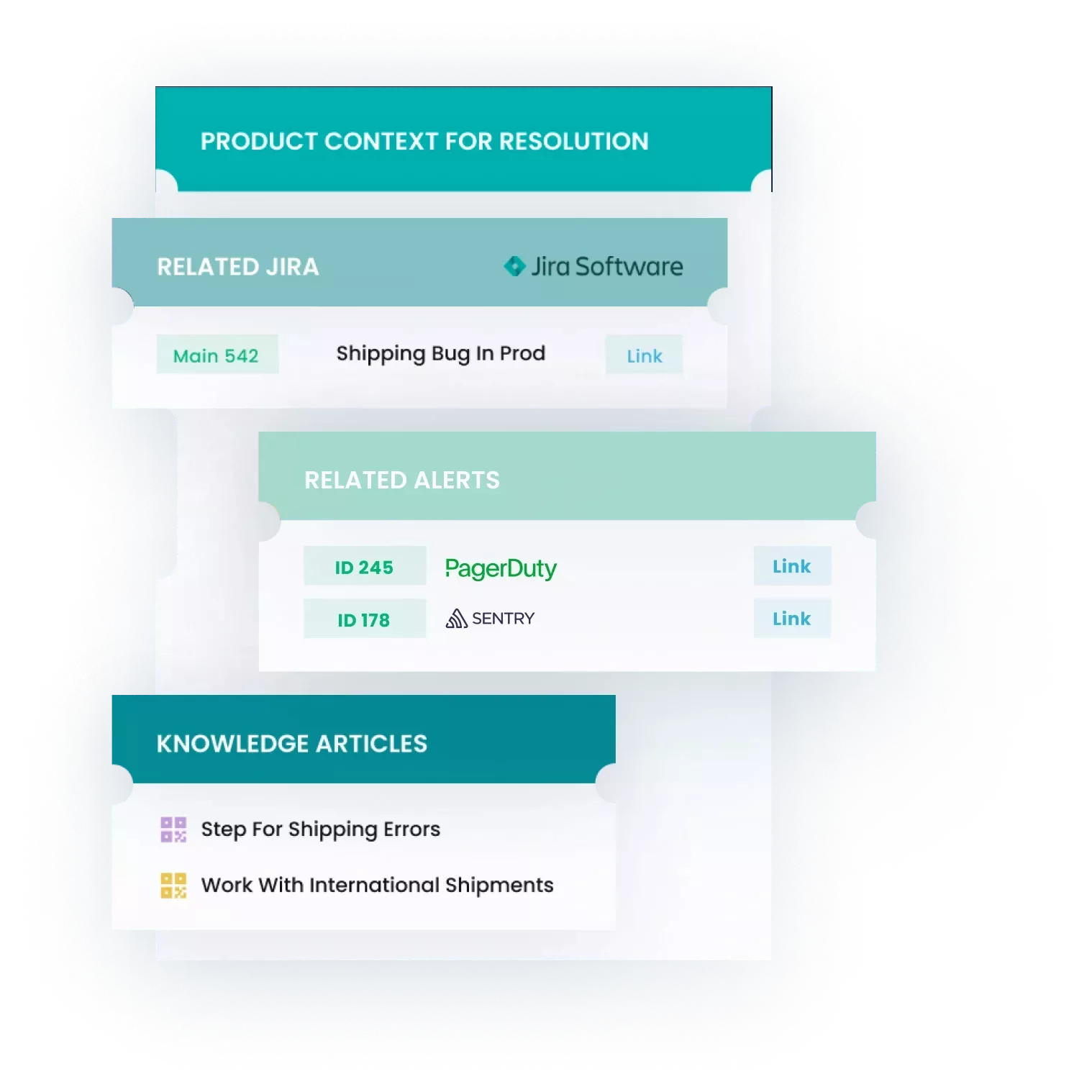
Link Zendesk tickets with bugs, logs, and alerts from DevOps tools – Jira, PagerDuty, Datadog, Slack and others – to add context and prevent unnecessary engineering escalations. IrisAgent helps agents:
Understand the true source of issues in real-time directly within Zendesk.
Avoid delays caused by duplicative escalations by automatically consolidating similar tickets into a single escalation.
Contact us for a personalized demo and discover your IrisAgent can optimize your support operations. Contact us if you run into any issues. Learn about your privacy and data security on our Privacy Policy page.

App 詳情
如何安裝
Prerequisities
Sign up on IrisAgent dashboard and connect with Zendesk.
Installation Steps
Click on the Install button on the top.
Open any ticket with a link such as https://
<your-domain>.zendesk.com/agent/tickets/3 to see the app in action.
Contact us if you run into any issues.
留下評論
與其他 Zendesk 社群分享您的體驗