Formcrafts
Create smart ticket forms and customer surveys
相容於
Support
開發人員
FormcraftsAbout this app
What is Formcrafts?
Formcrafts is an online tool for creating powerful and intuitive forms - most commonly support ticket forms, multi-step lead generation forms, and customer satisfaction surveys.
How does it work?
When your customers submit a form created in Formcrafts we automatically create a Zendesk ticket based on that information. We also include custom fields, tags, and file attachments as a part of the ticket.
You can also configure your form to update an existing ticket, instead of creating a new one.
You can also create customer satisfaction survey (CSAT) and net promoter (NPS) forms in Formcrafts, and use Zendesk triggers to send survey requests to your customers. We send all your satisfaction ratings back into Zendesk.
Why choose Formcrafts?
Advanced styling and customization options (add logos, images, color schemes, etc ...).
Create complex forms with advanced conditional logic.
Create multi-step forms.
No limit on the number of forms or fields.
Choose from over 19 different field types.
Filter form insights by time or custom fields (like agent, issue, category, etc ...)
Allow customers to attach multiple files
Add form collaborators and manage access permissions
Share form URL or embed forms on any website, or Help Center
Choose from a large number of free form templates
Is there a demo I can see?
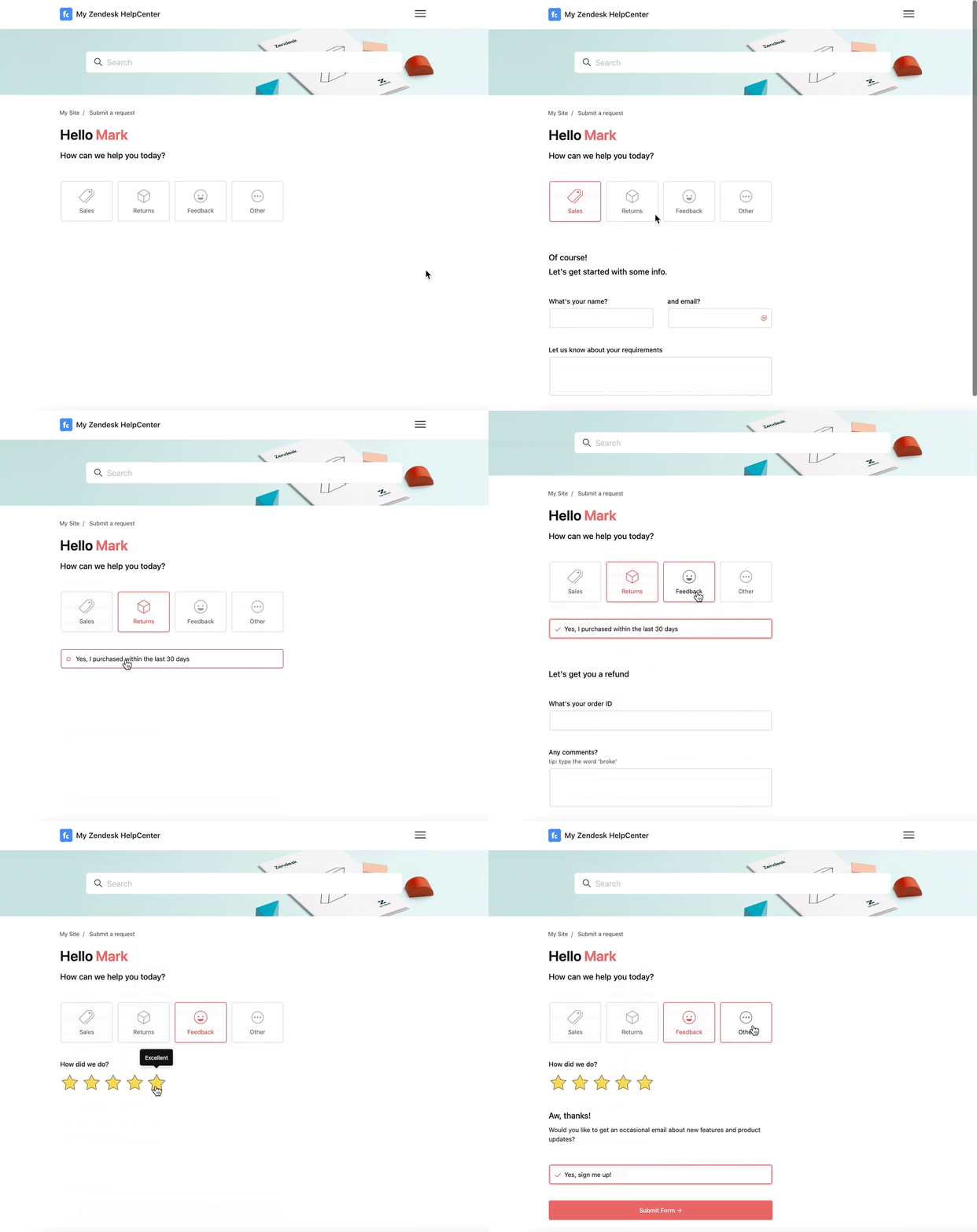
Here is a ticket form with conditional logic in place:
How much does it cost to get started?
We offer a free 21-day trial, and hands-on support to help you setup. After that we have plans starting from $39 per month.
App 詳情
如何安裝
Create a free account on Formcrafts.com.
Login to your account, and click 'New Form'.
Add some basic fields to your form.
Create a new Workflow with a Zendesk action, and map the form fields to Zendesk fields
You can now preview and share your support ticket form.
留下評論
與其他 Zendesk 社群分享您的體驗